

Close Menu
TechurzTechurz
    What's Hot

    Nvidia competitor Etched hits $5B valuation, $1B in sales for AI chip

    June 30, 2026

    Clicks shows off its BlackBerry-inspired phone in a new hands-on video

    June 30, 2026

    Arcturus could halve the grid’s electrical losses using its nano-infused copper

    June 30, 2026
    X (Twitter) Pinterest YouTube LinkedIn WhatsApp
    Tech Pulse
    • Nvidia competitor Etched hits $5B valuation, $1B in sales for AI chip
    • Clicks shows off its BlackBerry-inspired phone in a new hands-on video
    • Arcturus could halve the grid’s electrical losses using its nano-infused copper
    • Arena, the AI leaderboard everyone uses, is now a $100M business
    • Omen AI’s plan to optimize data centers is all wet
    X (Twitter) Pinterest YouTube LinkedIn WhatsApp
    TechurzTechurz
    • Home
    • Tech Pulse
    • Future Tech
    • AI Systems
    • Cyber Reality
    • Disruption Lab
    • Signals
    TechurzTechurz
    Home - AI - You can download iOS 26 public beta right now – how to install (and which iPhones support it)
    AI

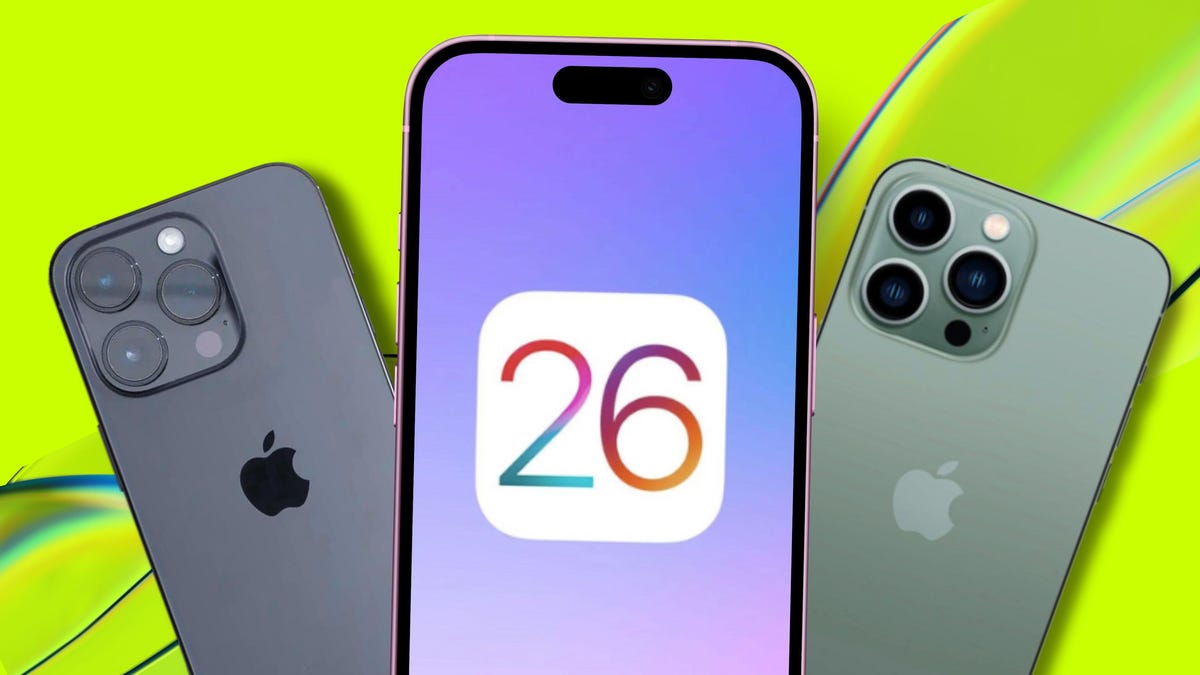
    You can download iOS 26 public beta right now – how to install (and which iPhones support it)

    TechurzBy TechurzJuly 26, 2025Updated:May 10, 2026No Comments2 Mins Read
    Share Facebook Twitter Pinterest LinkedIn Tumblr Reddit Telegram Email
    Every iPhone model getting iOS 26 (and which ones don't support it)
    Share
    Facebook Twitter LinkedIn Pinterest Email

    Table of contents
    1 When will iOS 26 be released?
    2 How to download the iOS 26 developer beta?
    3 Which iPhones are compatible with iOS 26?
    4 What to do before installing the iOS 26 public beta?
    5 How to submit beta feedback to Apple

    When will iOS 26 be released?

    The iOS 26 public beta is available now. The developer beta was released during WWDC in June 2025. If Apple follows its usual cadence, the final, general release of iOS 26 should arrive in September 2025.

    How to download the iOS 26 developer beta?

    To download the iOS 26 developer beta version, navigate to your settings to install the iOS 26 developer beta if your device runs iOS 16.5 and is used with an Apple ID enrolled in the Apple Developer Program:

    1. Go to your iPhone Settings
    2. Tap on General
    3. Select Software Update
    4. Go to Beta Updates
    5. Choose the iOS 26 Developer Beta

    If you can’t see this option, go to your Settings, select Privacy & Security, and enable Developer Mode.

    If you aren’t already a member of the Apple Developer Program, you can sign up to become one in the app. An annual membership costs $99, but you don’t need one to try the developer beta.

    Which iPhones are compatible with iOS 26?

    Apple removed the iPhone XR and XS from its list of supported devices with iOS 26, so any iPhone 11 or newer is compatible with the new operating system, including the iPhone SE.

    Also: Every iPhone model that can be updated to iOS 26 (and which ones don’t support it)

    What to do before installing the iOS 26 public beta?

    You can always join the Apple Beta program to get the latest beta versions of iOS. Before you download a beta version of an operating system, keep these housekeeping items in mind:

    • Back up your device and personal information.
    • Don’t download beta software, which will likely have bugs and glitches, on your everyday iPhone.
    • Beta versions are released so you can test new features and share feedback to improve iOS.

    How to submit beta feedback to Apple

    The iOS 26 public beta comes with its own built-in Feedback Assistant app, which you can open from the Home screen. If you encounter something that doesn’t work, or you have feedback on any part of the new OS, you can communicate directly with Apple via that app.   

    Get the morning’s top stories in your inbox each day with our Tech Today newsletter.

    Beta Download Install iOS iPhones Public Support
    Share. Facebook Twitter Pinterest LinkedIn Tumblr Email
    Previous ArticleThe best gaming speakers of 2025: Expert tested from SteelSeries and more
    Next Article Samsung’s Exynos 2600 SoC spotted on Geekbench
    Techurz
    • Website

    Related Posts

    Opinion

    Pixi’s new iOS app turns text messages into interactive AR experiences

    June 18, 2026
    Opinion

    As AI companies race to go public, who else is along for the ride?

    June 14, 2026
    AI Systems

    The Future of AI Systems: 7 Architectural Shifts Driving the AI Revolution

    June 13, 2026
    Add A Comment
    Latest Tech Pulse

    College social app Fizz expands into grocery delivery

    September 3, 20252,290

    SolarSquare in talks to raise up to $60M as India’s rooftop solar market draws major VC interest

    May 23, 202622

    Future of Digital Privacy and Security: 7 Truths Nobody Tells You

    May 25, 202619
    Stay In Touch
    • YouTube
    • WhatsApp
    • Twitter
    • Pinterest
    • LinkedIn

    Techurz helps readers stay ahead of digital change with clear, practical, future focused technology intelligence written today,searched tomorrow.

    X (Twitter) Pinterest YouTube LinkedIn WhatsApp
    Company
    • About Us
    • Contact Us
    • Our Authors / Editorial Team
    • Write For Us
    • Advertise
    Policy
    • Editorial Policy
    • Privacy Policy
    • Terms and Conditions
    • Affiliate Disclosure
    • Cookie Policy
    • Disclaimer
    • DMCA
    Explore
    • AI Systems
    • Cyber Reality
    • Future Tech
    • Disruption Lab
    • Signals
    • Tech Pulse
    • Sitemap

    Join the Techurz Brief

    The future does not arrive suddenly.
    Stay ahead with fast, sharp tech signals.

    Type above and press Enter to search. Press Esc to cancel.